
BASTION Disk Watch
BASTION Disk Watch
Know which folders are filling your Mac — before the disk is full.
Coming to the Mac App Store
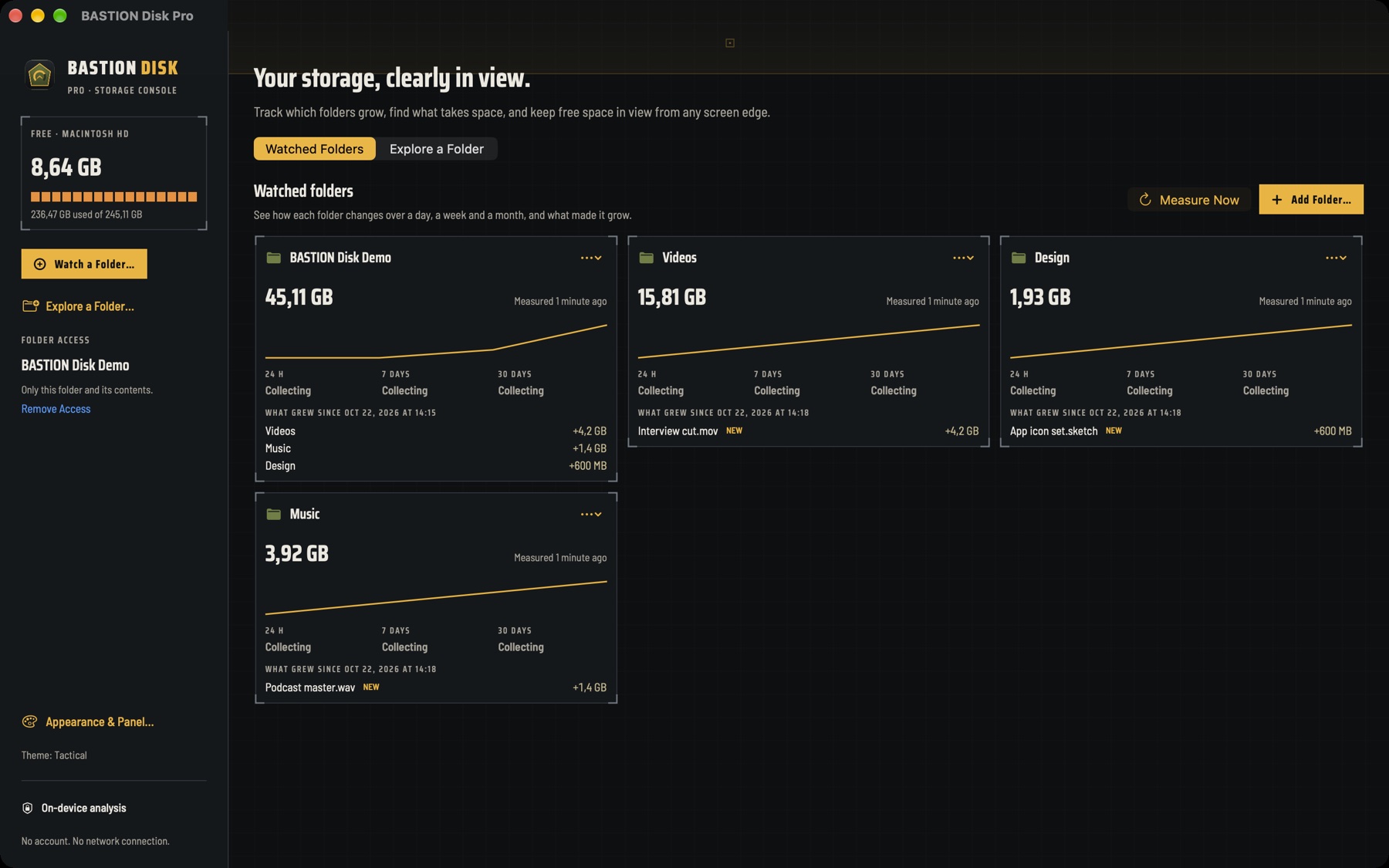
BASTION Disk Watch keeps an eye on the folders that fill up your Mac and shows you what grew. Pick up to 12 folders — Downloads, Desktop, a project or a media library — and it measures them on your Mac every few hours, keeps a size history for each one, and warns you before free space runs out.
Watched folders with history
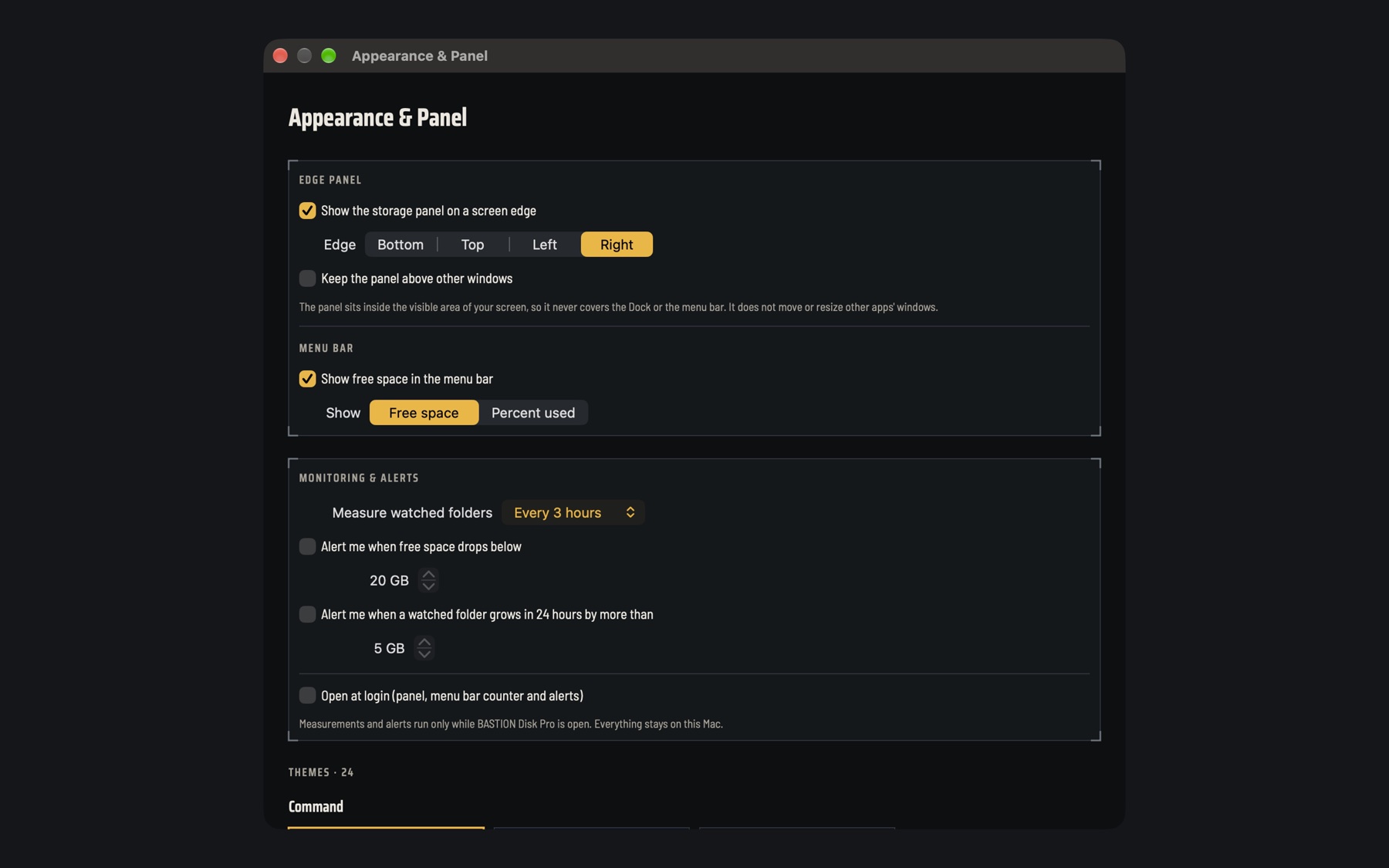
Up to 12 folders, measured on a schedule you choose (every 1, 3, 6 or 12 hours, or on demand), each with its own size history.
See what grew
Change over 24 hours, 7 days and 30 days with a trend line, plus the items inside each folder that grew the most — new arrivals included.
Alerts before it is too late
Optional notifications when free space drops below your level, or when a folder grows faster than you expect.
Always in view
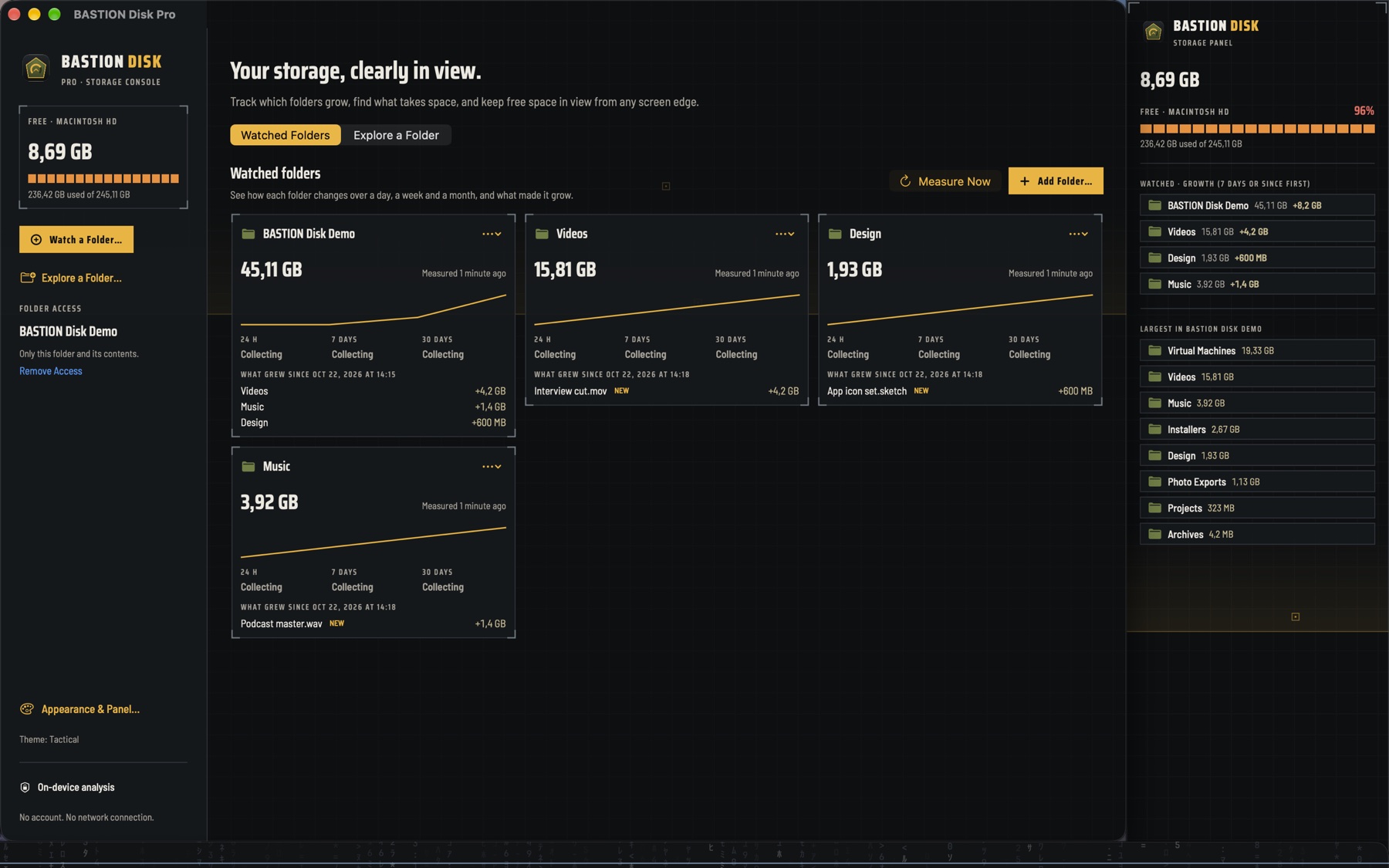
A slim storage panel on any screen edge and a menu bar counter keep free space and your watched folders in sight.
Find what takes space
Explore any folder you choose, sorted by size. Items go to the Trash only after you confirm, and the Trash is never emptied for you.
Make it yours
24 original themes, included fonts and animated backdrops. Animations pause when Reduce Motion is on.
Free and Pro
Free
- Explore folders sorted by size
- Move items to the Trash after confirmation
- Edge panel and menu bar counter
Pro Upgrade — one-time In-App Purchase
- Watched folders with size history
- 24 h / 7 day / 30 day change and “what grew”
- Free-space and folder-growth alerts
- Every theme, font and backdrop
No subscription. Purchases and restores are handled by the App Store.
Private by design
BASTION Disk Watch runs entirely on your Mac in the App Sandbox and reads only the folders you choose, plus the capacity of your startup disk. It has no account, no analytics, no advertising and no tracking, and it makes no network connections of its own.